Bridging the Workflow Gap Between Teams
We’ve all been there. You’ve just spent three hours setting up a streamlined, cloud-based workflow that should keep the entire project team in sync. Then, a consultant or a colleague from another department pings you:
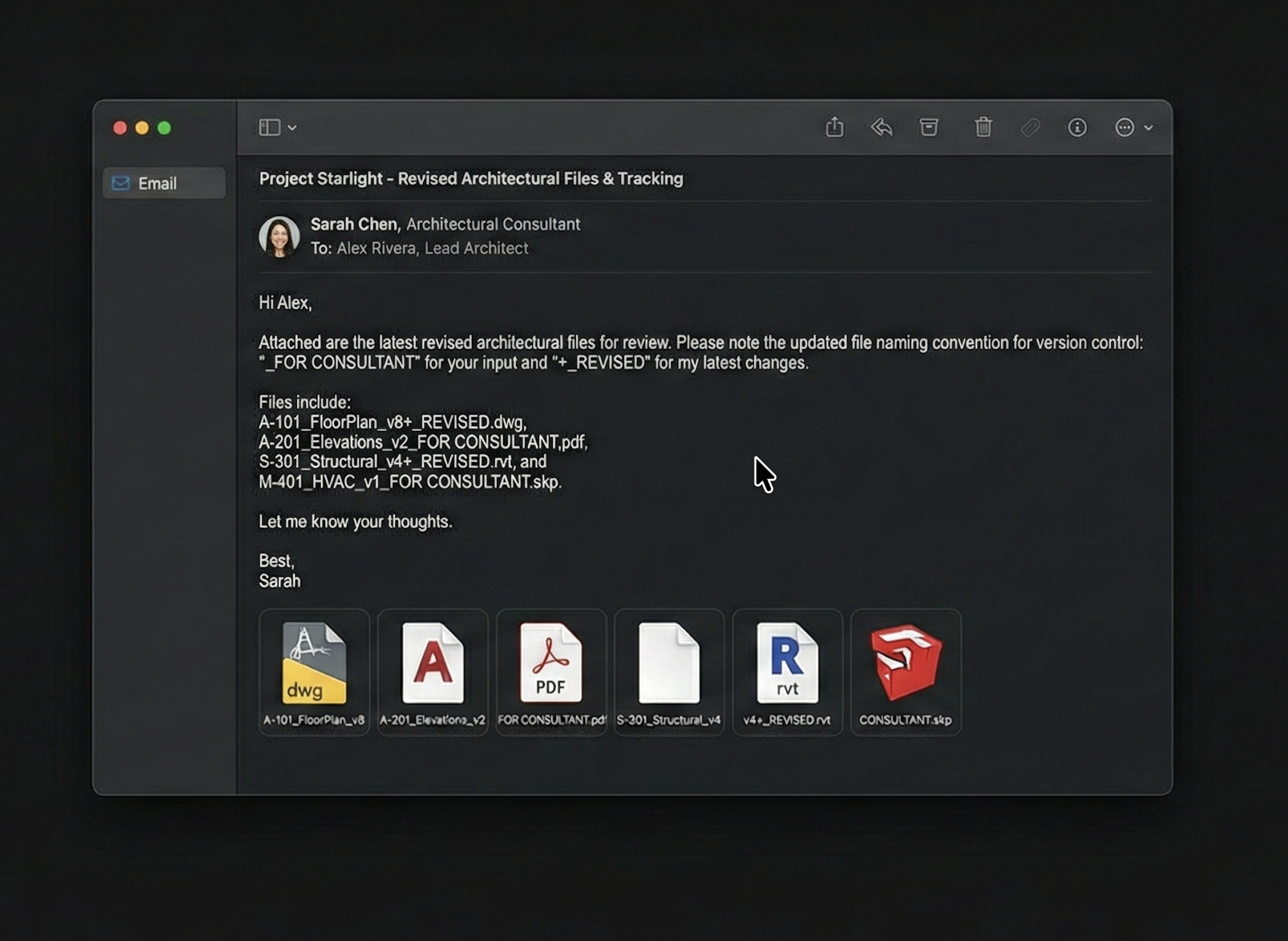
“Hey, can you just email me the PDF named ‘Final_v2’ so I can mark it up?”
Your heart sinks. You realize that no matter how much you’ve optimized your internal process, the project is still being throttled by an external operating system of “1998 Folder Logic.”
But before you send that passive-aggressive Slack reply, we need to understand why this gap exists—and how to bridge it without stalling the project.
The “Compatibility” Deficit
When you’re working with an external consultant or a teammate in a different silo, they often view your “live” environment as a risk. To them, a shared digital timeline feels like a black box they can’t control. For decades, the only way to ensure a file was “safe” or “official” was to detach it, rename it, and move it into a static folder.
To a consultant, a file named ARCHIVE_2024_02_11 isn’t just a cluttered storage habit; it’s a legal insurance policy. They want a snapshot in time because they are afraid of the “moving target” of a live model.
The Cost of the “Email it to Me” Culture
This disconnect isn’t just a minor annoyance; it’s a technical liability for the project. When a collaborator asks for a manual PDF instead of engaging with the live project history:
- Version Divergence: By the time they finish their markups, your team has already moved on. The feedback is being applied to a version that is already three hours (or three days) out of date.
- Information Silos: Critical design decisions and redlines stay trapped in an email thread or a local download folder instead of being anchored to the project’s actual evolution.
- The “Shadow” Workflow: You end up maintaining two parallel universes—the efficient, automated one you use to design, and the manual, “renamed-file” one you use to keep your partners happy.
How to Advocate for Change (The Peer Perspective)
If you want to move a stubborn collaborator toward a tool like HyperArch, don’t lead with “efficiency.” Lead with Risk and Visibility.
- Instead of saying: “We need to use this because it has better version control.”
- Try saying: “I want to make sure you’re always marking up the most current set so we don’t waste your time on outdated layouts. This link gives you the live ‘Official’ view without you needing to manage files.”
Why HyperArch is the “Peace Treaty”
We designed HyperArch to be the bridge between the “Power User” and the “Collaborator.” We kept the visual simplicity that a consultant needs to feel secure, while providing the technical depth that a digital native craves.
- For the Consultant: It provides a “High-Level Truth.” They get a clear, linear timeline where they can see exactly what changed since their last review—without ever needing to open a complex Revit model or hunt through an FTP site.
- For the Designer: It removes the manual “Export -> Rename -> Email” ritual that eats up your afternoon. When you update the project, the “Official” version updates for everyone.
Moving Forward Together
The future of architecture isn’t about forcing every single partner to use the exact same software. It’s about building tools that are so intuitive that the “Workflow Gap” simply disappears.
It’s time to retire the Final_v2_USE_THIS email chain. Not just because it’s slow, but because the project is better when everyone—consultants, colleagues, and clients—is looking at the same source of truth.
Next up in our series: The Definitive Guide to Architectural Naming Conventions (And Why They Always Fail).
Leave a Reply